Staging Project Management Software — StageCore
Staging Project Management

Staging Project Management From Estimate to Pickup

Keep the client promise, room plan, warehouse handoff, schedule, and billing connected as each home staging project moves forward.

View Pricing
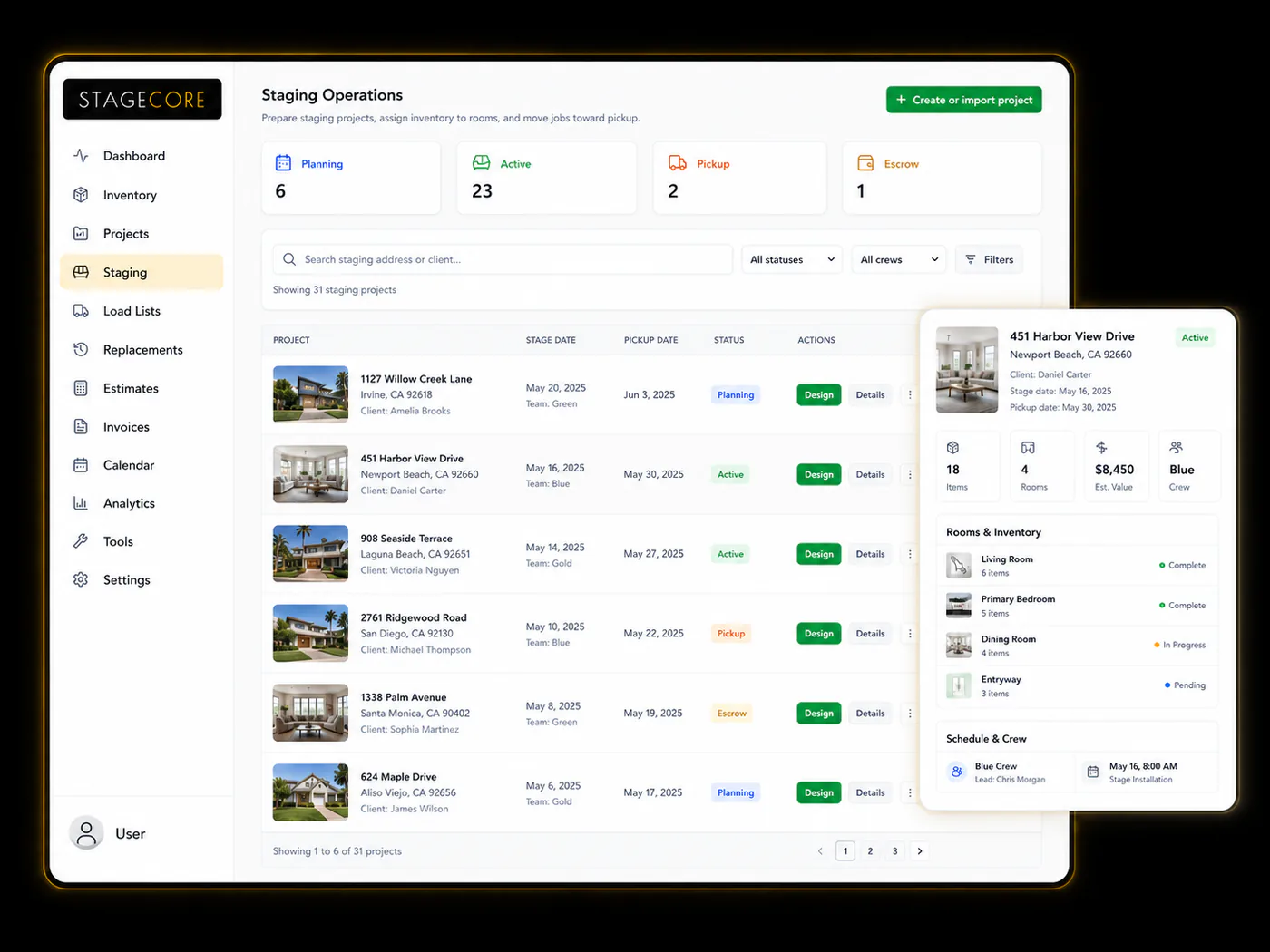
StageCore project workspace connecting property details, rooms, staging dates, inventory, and crews
Property details, project status, dates, and the next stage of work stay together.
The Basics

What Is Staging Project Management?

StageCore turns each property into the shared workspace for the business, the designer, the warehouse, and the field team.

The project can begin with a room-based estimate, move through a signed contract, and open into a room-by-room design plan grounded in property context and date-aware inventory availability.

The same record then carries quantities, packing notes, assignments, install and pickup dates, load status, invoicing, and closeout forward. The team is not rebuilding the job in separate tools, and the warehouse works from the choices the designer approved.

Common Failures

Why Staging Jobs Go Wrong Without the Right Tools

Most project problems are handoff problems. The client, designer, warehouse, field team, and office are working from different versions of the same job.

No Single Project Record

Property details, dates, contract scope, walkthroughs, and team notes are scattered across messages, documents, and individual memory.

Designs Ignore Project Dates

A room plan is built without a dependable view of live quantities or inventory expected back before installation.

Warehouse Handoffs Lose Context

Selections are copied into another list without the room, packing notes, condition warnings, quantities, or person responsible.

Schedules Drift Apart

Installs, pickups, tasks, and people live in different calendars, leaving the team unsure which plan is current.

Status Requires a Phone Call

Owners cannot see whether a project is planning, active, waiting for pickup, or ready to close without chasing the team.

Billing Starts From Scratch

Project value, client details, extensions, and completed work have to be rebuilt when it is time to create the invoice.

The StageCore Way

How StageCore Manages Every Stage of the Job

StageCore keeps the commercial, creative, warehouse, field, and financial work connected to the same property.

Estimate and Contract

Build room-based pricing, prepare client communication, collect signatures through DocHub, and bring the accepted scope forward.

Open the Property Workspace

Keep the client, address, listing details, dates, photos, walkthroughs, team, and project status in one record.

Design Room by Room

Use contract rooms or add your own, review CompanyCam media, and choose quantities with date-based availability in view.

Prepare the Warehouse

Complete the design to create the connected load list with room context, packing notes, condition warnings, and an assignee.

Install, Track, and Pick Up

Keep installs, pickups, tasks, people, load progress, on-site pieces, replacements, and returns visible as the job moves.

Invoice and Close Out

Create the QuickBooks Online invoice from the project, handle extensions, return inventory, and review the finished work.

Property-Centered Dashboard

See active work, dates, status, value, and next action without opening every project.

Calendar and Assignments

Coordinate installs, pickups, tasks, and people in StageCore, with Google Calendar available when needed.

Operational Visibility

Review active projects, upcoming dates, project value, and patterns across the business without assembling a separate report.

Features

Every Feature Your Projects Need

Generic project software can track a due date. StageCore is built to carry the commercial, design, warehouse, and field work of a home staging project together.

Estimates and Contracts

Build room-based estimates, draft client emails with AI, collect signatures through DocHub, and carry contract details into the project.

Project Status and Dates

Follow the property through planning, active staging, escrow, pickup, and closeout while install and pickup dates remain visible.

Load Lists That Stay in Sync

Keep the warehouse handoff connected to the design plan as pieces move from planned to loaded, on-site, and returned.

Team Calendar and Assignments

See installs, pickups, tasks, and assigned people on the operational calendar, with Google Calendar available for connected scheduling.

QuickBooks Online Invoicing

Create the customer and invoice from the project, optionally email it, and keep extension billing tied to the active staging.

Portfolio Visibility

Review active work, upcoming dates, project value, and operational patterns without assembling a separate report from disconnected tools.

Get Started

Give Every Project One
Connected Path Forward.

Bring the office, designer, warehouse, and field team into the same home staging workflow.

Talk to Us First

Get Started

Join StageCore today. No credit card required to start.

Free Plan
Select Account Method
Or manual setup