Home Staging Software — StageCore | Inventory, Projects & Team
Home Staging Software

Home Staging Software for the Whole Job

StageCore connects the work before, during, and after install day so the client promise, design plan, warehouse, schedule, and billing move forward together.

View Pricing
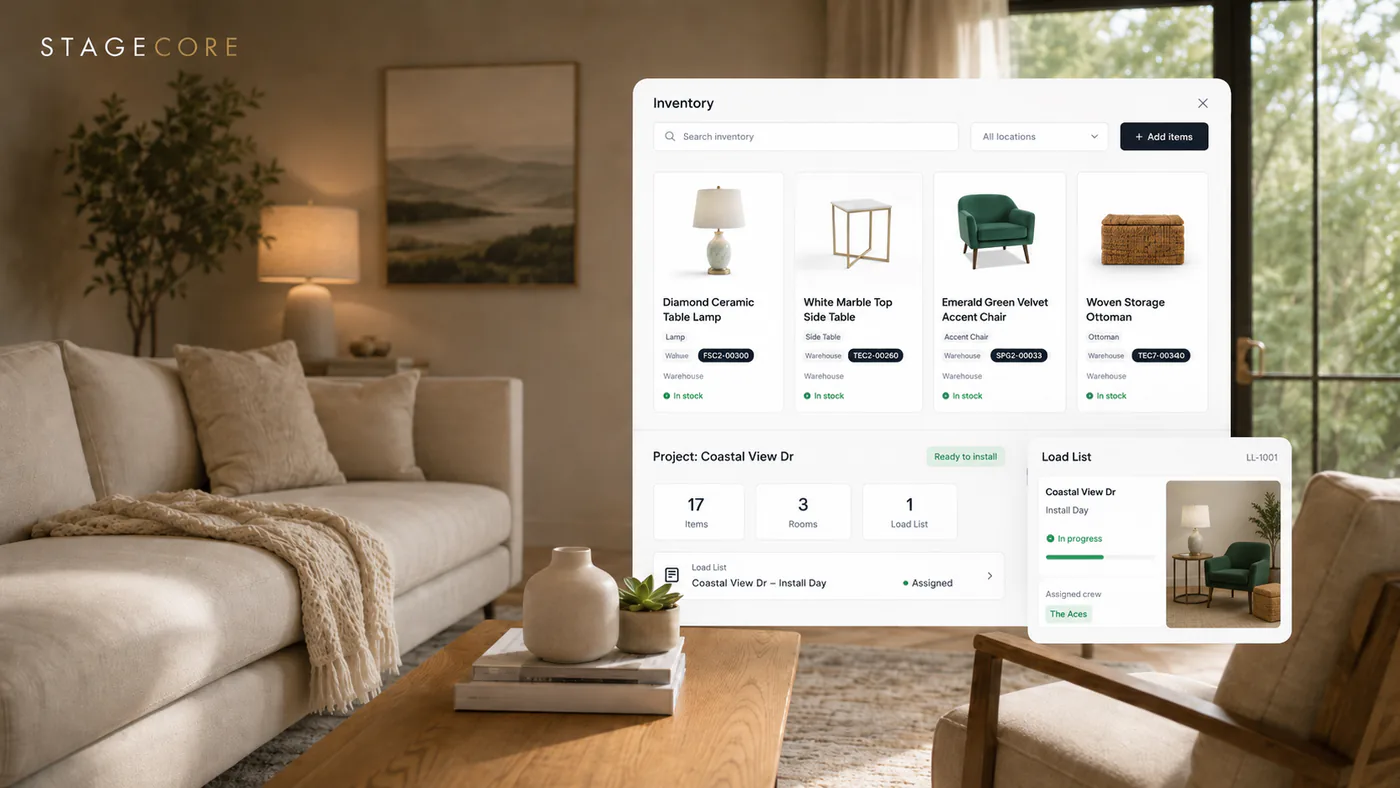
StageCore home staging software connecting inventory, project planning, load lists, and field work
One connected project view replaces scattered details and repeated handoffs.
The Basics

What Is Home Staging Software?

Most business software handles one slice of staging. StageCore carries the same project through the commercial, creative, warehouse, and field work.

Begin with a room-based estimate and signed contract, then use that project context to build the design plan. Inventory availability follows the project dates, so the designer is choosing from pieces the business can actually deploy.

When the plan is complete, the connected load list gives the warehouse quantities, room context, packing notes, and an assignee. The calendar keeps installs and pickups visible, while QuickBooks Online invoicing and business analytics keep the office connected to the work.

Win and Open the Project

Create room-based estimates, prepare contracts, collect signatures, and carry accepted client details into the job.

Design With Real Inventory

Plan each room from property context, walkthrough media, project dates, and pieces the business can actually deploy.

Execute and Close Out

Turn the plan into warehouse work, coordinate installs and pickups, invoice through QuickBooks Online, and learn from the finished job.

The Problem

Why Staging Companies Outgrow Disconnected Tools

A spreadsheet, calendar, photo app, accounting system, and group text can each hold part of the job. The trouble starts when your team has to rebuild the same information between them.

The Client Promise Gets Lost

Rooms, pricing, dates, and contract details are agreed in one place, then manually re-entered when the design and operational work begins.

The Design Ignores Availability

Designers choose pieces without a reliable view of project dates, live quantities, or inventory expected back before install day.

The Warehouse Rebuilds the Plan

Room selections have to be translated into another list, stripping away quantities, packing notes, condition warnings, and room context.

The Office Chases the Job

Schedules, pickup status, invoices, and business performance stay disconnected from what actually happened at the property.

The Solution

How StageCore Connects the Whole Job

Each capability is useful on its own. The larger advantage is that the information carries forward instead of being rebuilt in another tool.

Estimates and Contracts

Build room-based pricing, prepare client communication, collect signatures, and bring accepted project details forward.

Room-by-Room Design

Use property context, listing photos, walkthroughs, dates, and available inventory to build a practical room plan.

AI Inventory and Warehouse Control

Catalog from photos, organize units and groups, search visually, and maintain the location and condition of each piece.

Connected Load Lists

Carry room selections, quantities, packing notes, item condition, and warehouse responsibility into execution.

Calendar and Team Assignments

Keep installs, pickups, tasks, and people visible in StageCore, with Google Calendar available when needed.

Invoicing and Business Visibility

Create QuickBooks Online invoices from the project and review the operational and financial patterns across the business.

Who It's For

Built for the Whole Staging Team

StageCore gives each person the work they need while keeping the underlying client, project, inventory, and schedule connected.

Owners and Administrators

Manage clients, pricing, contracts, schedules, invoices, users, and business visibility without losing touch with the active work.

Designers

Plan room by room beside property context and walkthrough media, then choose from inventory that fits the project dates.

Warehouse and Field Teams

See assignments, load lists, quantities, locations, packing notes, condition issues, install details, pickups, and returns.

Get Started

Run the Whole Staging Workflow
in One Place.

Start with one project and see how much easier the work becomes when every stage stays connected.

Talk to Us First

Get Started

Join StageCore today. No credit card required to start.

Free Plan
Select Account Method
Or manual setup